
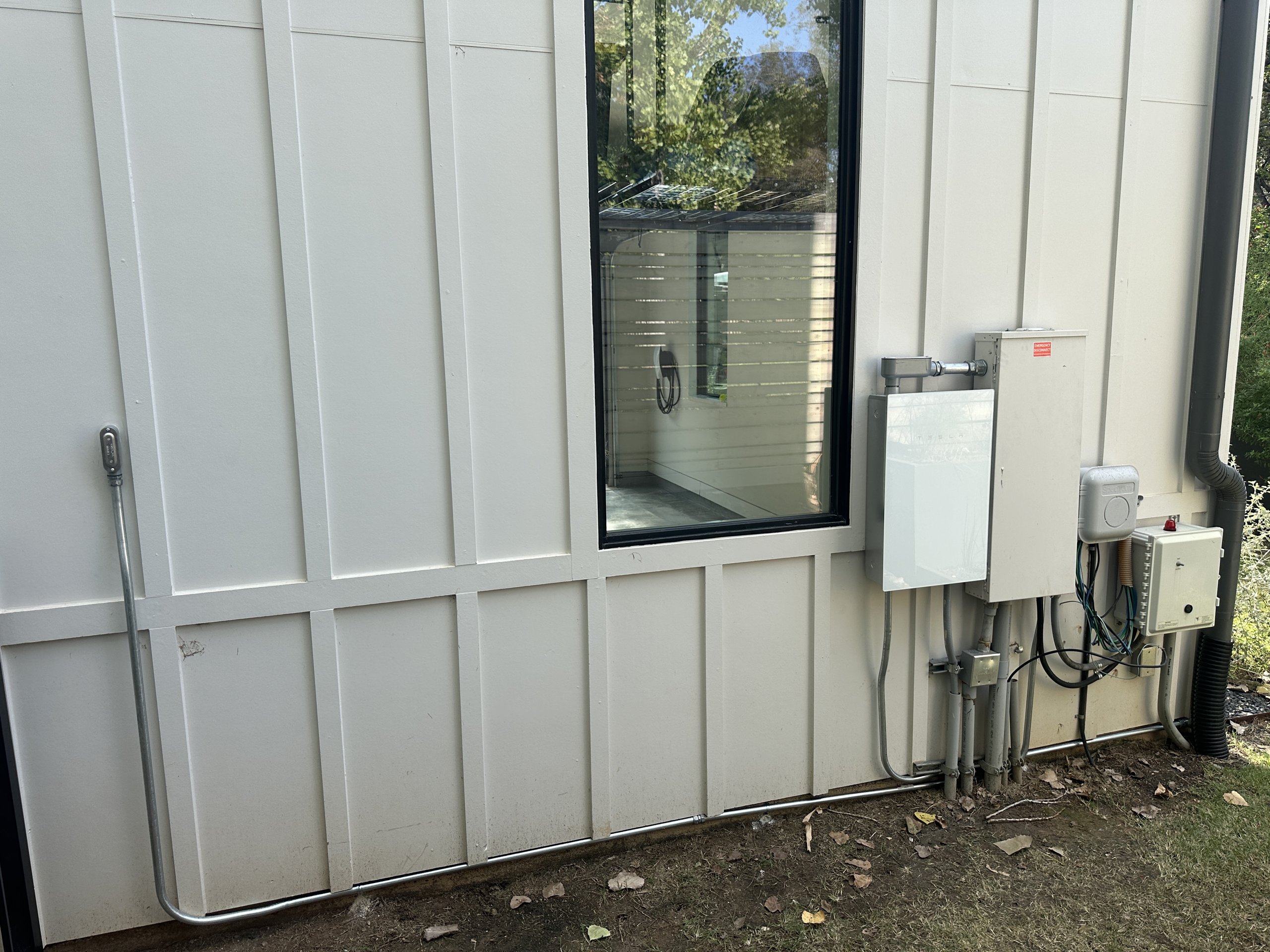
This West Austin family wanted their Cybertruck to keep the essentials running in an outage, and a second charger for their Model Y. We installed a Powershare Gateway next to the main panel, moved the circuits they chose onto it, and put in both chargers in one day.
The home
A main panel and utility meter on an exterior wall, and a subpanel inside the garage that holds all the essential loads of the house. The home has two AC units, an electric range and a cooktop. The family drives a Cybertruck and a Model Y.
The goal
Use the Cybertruck as home backup for the circuits that matter, without asking it to run every big load in the house. Add a second charger so both cars can charge at home.
What we installed
- A Powershare Gateway, supplied by the homeowner, on the same exterior wall, right next to the main panel
- A 125 A breaker in the main panel feeding the Gateway
- Circuits moved into the Gateway: everything in the garage subpanel, the smaller of the two AC units, and a tandem 20 A circuit
- The Universal Wall Connector for the Cybertruck, supplied by the homeowner and hardwired on a 60 A breaker inside the garage, delivering up to 48 A (11.52 kW), installed to Austin Energy’s charger rebate guidelines
- A second Wall Connector for the Model Y, on its own separate circuit and not part of Powershare
- Removal of old, unused cables on the panel wall
The problem we solved
Two AC units, a range and a cooktop running at once can ask more of the car than it can deliver: Tesla rates the Cybertruck at 11.52 kW continuous. Instead of backing up the whole house, we put the garage subpanel, which holds all the essential loads, and the smaller AC on the Gateway and left the larger AC, range and cooktop on the grid only. The quote spelled out exactly which circuits would and would not be backed up, so there were no surprises.
We also cleaned up the wall. Old cables that were no longer in use came off. We did not paint the Gateway to match the siding: its glossy white door is not meant to be painted.
Install day
Everything was done in one day in January 2026: mounting the Gateway, moving the circuits, and installing both chargers. Some Cybertrucks then need Tesla to activate Powershare, which can add a short wait after install.

The result
In an outage, the system separates from the grid automatically and the Cybertruck powers the garage subpanel, the smaller AC and the other circuits on the Gateway. When the grid comes back, it switches back on its own. The homeowner sets how much of the truck’s battery Powershare may use, and we advised managing heavy loads in a long outage so the battery lasts.
Spec list
| Item | Detail |
|---|---|
| Vehicle | Cybertruck (plus a Model Y on a second charger) |
| Backup hardware | Powershare Gateway and Cybertruck Universal Wall Connector, homeowner supplied |
| Gateway feed | 125 A breaker in the existing main panel |
| Backed up | Garage subpanel (all essential loads), smaller AC, one tandem 20 A circuit |
| Not backed up | Larger AC, range, cooktop |
| Charger | Universal Wall Connector on a 60 A breaker, up to 48 A / 11.52 kW |
| Second charger | Wall Connector for the Model Y on its own separate circuit, not part of Powershare |
| Install time | One day |
Planning your own? Read what we learned installing Powershare in Texas homes, or compare whole-home vs partial backup.
Want a setup like this?
Send us photos of your panel and garage and we will tell you which circuits make sense to back up. We usually quote from photos the same day.
Frequently asked questions
Can Powershare back up a home with two AC units?
Yes. How much of the house stays on depends on the hardware. With a Cybertruck and a Powershare Gateway on their own, we usually back up the essentials. On this West Austin home that meant the garage subpanel, which holds all the essential loads, plus the smaller AC. The larger AC, range and cooktop stayed on the grid side, so the truck is never asked to run everything at once. A soft start on an AC unit cuts the surge when the compressor kicks on, which makes it much easier for the car to run it. If you want both AC units and the whole house backed up, add Powerwall 3. Two Powerwall 3 batteries put out 23 kW together, and the Cybertruck can refill them when they run low.
Can I add a second charger for another car at the same time?
Yes. On this job we installed a second Wall Connector for the family’s Model Y the same day as the Powershare install. It is on its own separate circuit and is not part of the Powershare setup, so it charges the Model Y from the grid like a normal charger. Only the Cybertruck’s Wall Connector is connected to Powershare, because Powershare needs a dedicated charger.
Can I buy the Powershare Gateway and Wall Connector myself?
Yes. On this job the homeowner supplied the Powershare Gateway and the Universal Wall Connector for the Cybertruck, and we did the installation. Check that every box has arrived before install day.
How long did this install take?
One day. The Powershare Gateway, the circuit moves and both chargers were done on the same day in January 2026.
Sources
- Powershare Support (Tesla)
- Powershare (Tesla)