
Most of a Powershare install isn’t the Tesla equipment. It’s deciding which circuits stay on, making sure the AC and well pump can start on backup, checking the panel, and lining up the utility and the permit. Here’s what we check on every job, with examples from the Cybertruck Powershare systems we’ve installed since 2024.
Cybertruck Powershare today, Model 3 and Model Y next
The examples below are Cybertruck jobs with a Powershare Gateway, the original Powershare setup. Tesla’s new Powershare for Model 3 and Model Y uses Powerwall 3 instead of a Powershare Gateway. The groundwork is the same either way, so everything on this list applies to both. More on the new setup: Tesla Powershare installation.
1. Which circuits stay on
Every quote lists the exact circuits that will be backed up and the ones that won’t. On a West Austin home with two AC units, an electric range and a cooktop, we put the garage subpanel and the smaller AC on backup and left the larger AC, range and cooktop on the grid. The homeowner knows exactly what runs in an outage, and the truck isn’t asked to carry everything at once.
Worth thinking about before your quote: internet, the garage door opener, the fridge and freezer, and any medical equipment.
How you use power in an outage matters as much as the hardware. Run everything at once, like both AC units, the oven, the dryer and the pool pump, and you can drain the batteries in a few hours. Use it smart, with the thermostat a few degrees higher and big appliances one at a time, and the same batteries can stretch for days, especially when your Tesla can refill them.
2. Whole home or just the essentials
With Powerwall 3, the whole home is backed up. With a Cybertruck and a Powershare Gateway alone, backup is usually partial. On one Burnet property with a smaller service, the homeowner wanted as much covered as possible, so the Powershare Gateway replaced the old main panel and became the main disconnect. Most Gateway-only homes go partial instead: we feed the Gateway from a 125 A breaker in the existing panel and move the chosen circuits into it. With whole-home backup, we go over which big loads not to run together in a long outage. Our guide to whole-home vs partial backup explains the trade-offs.
3. The AC
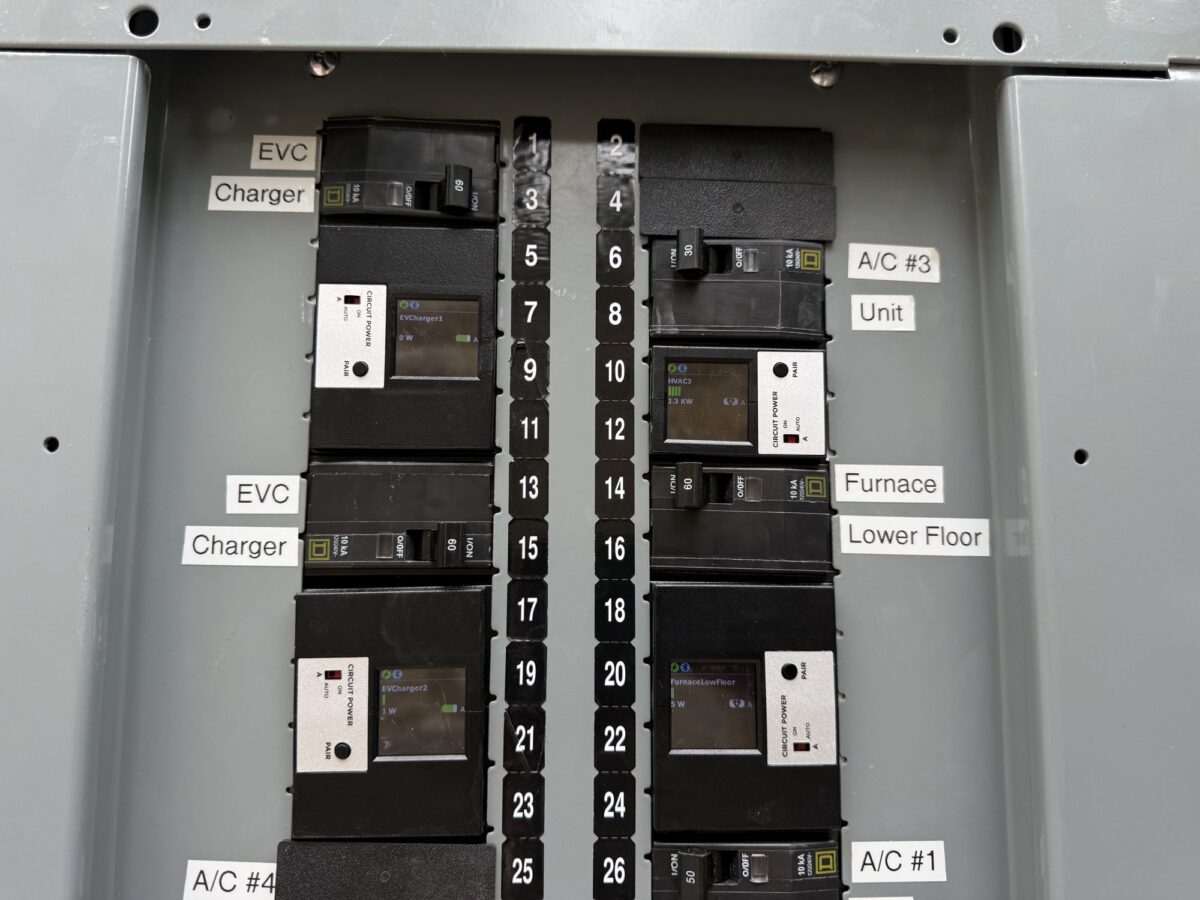
Air conditioners pull a surge every time the compressor starts. Larger AC units usually need a soft-start kit to run on backup, and our HVAC partner installs it. On a Leander home with a 50 A AC, we arranged it through the HVAC company we work with, which installs soft starts for around $750. That’s why we ask for the AC spec sticker with every quote request.
4. The well pump and septic
On a well, no power means no water. That same Leander home has a septic system and a well pump in a separate building with its own panel. We backed up both, so the house keeps running water in an outage. If your pump is in another building, tell us at the quote, because it changes the wire run.
5. The panel
We check the panel’s condition, brand, breaker type and open spaces from your photos before we pick where the Gateway or Powerwall 3 ties in. Most panels are fine. If yours is older or worn, we tell you up front and price a replacement as an option, so there are no surprises on install day.
6. The Wall Connector
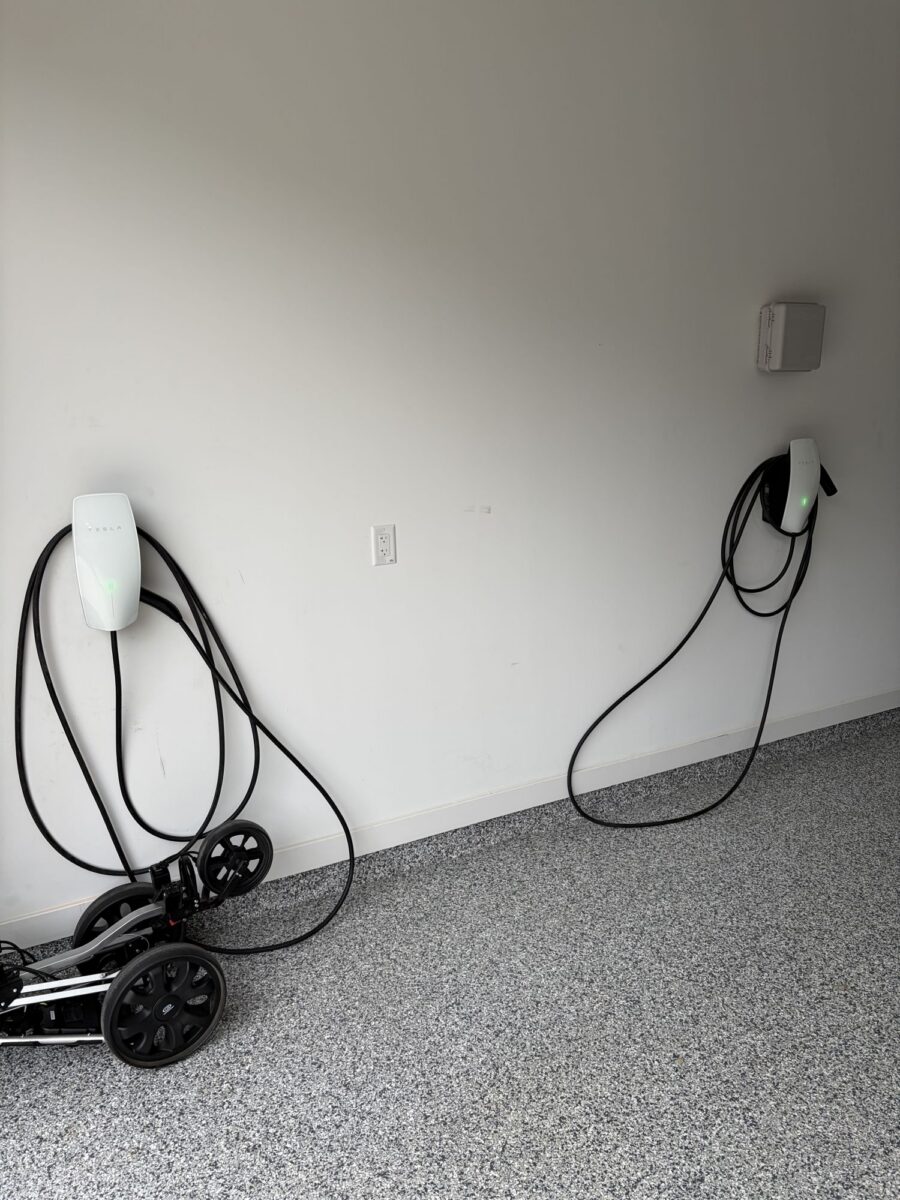
For Powershare, the Wall Connector always goes on the backed-up side: in the Gateway, or in a panel the Gateway feeds. On whole-home jobs the Gateway is the main disconnect, so the main panel counts too. We also confirm every box is on site before we lock the date. On a Spicewood job the Universal Wall Connector hadn’t arrived yet, so we supplied one from our stock and the install stayed on schedule. The charger has to be a Universal Wall Connector or Wall Connector 3 on its own dedicated circuit, not power-shared with another charger, on copper wire sized for a 60 A breaker. Not sure which charger you have? See which Wall Connector works with Powershare.
7. Wi-Fi
The car, the Wall Connector and the backup equipment need to be on the same Tesla energy site, and we keep them all on your Wi-Fi. Equipment usually sits on a garage or outside wall where signal is weakest, so we check it and let you know before install day if a mesh node would help.
We also make sure your router and modem are on a backed-up circuit. With Powerwall, the Wall Connector and Powerwall talk over your Wi-Fi. We’re confirming with Tesla exactly how Powershare behaves if the internet itself goes down, so we keep your Wi-Fi on backup either way. With whole-home backup it already is. With partial backup, we add the router to the circuits we move into the Gateway.
8. The utility shutoff and the permit
We book the power shutoff as soon as you approve the quote, so everything happens in one visit. In Austin we use Austin Energy’s Contractor Disconnect Program; in CenterPoint territory we give the required two business days’ notice. We also pull every permit. In Austin, vehicle-to-home needs an auxiliary-power permit through the City of Austin, and Austin Energy inspects it, so we file it up front, with the backed-up circuits and disconnect shown on the plans. Every utility does it a little differently: see our Texas utility and permit guide.
9. Anything outside
Some homes need the charger away from the house. In Burnet we mounted it on a post by the driveway, trenched to it, ran conduit and set the post in concrete. In the Hill Country, trenching can mean rock, so we price trenching and any equipment rental as their own lines on the quote.
10. A real test before we leave
Before we pack up, we switch off the utility supply and confirm the home separates from the grid, the backed-up circuits stay on, and everything switches back when power returns. On Powerwall 3 systems we also confirm the home runs on Powerwall alone with the car unplugged. Then we show you how to set the Powershare limit in the Tesla app, so you always keep the range you need, and which big loads to avoid running together in a long outage. To see how long your home would last, try the Powershare backup calculator.
What to send with your quote request
Most of this list comes down to a few photos. Send them and we can usually quote the same day, no site visit needed.
- A close-up of your open main panel with the breaker labels readable
- A wider shot of that wall, including the utility meter
- A photo or short video of the path to where you park
- Your AC spec sticker
- Where your well pump or septic panel is, if you have one
- Which Tesla you drive, and whether you already have Powerwall 3
Outage on the way? Here’s how to make your Powershare backup last longer.
Get a Powershare plan for your home
Send your photos and we’ll tell you which circuits make sense to back up, what your panel needs and how long the install takes. Most installs take one day, our own electricians do the work, and financing is available on every quote.
Frequently asked questions
How long does a Tesla Powershare install take?
Most installs take one day. We schedule the power shutoff with your utility and install everything that day. A complex job, like a long trench through rock, occasionally takes two. After install, Tesla may need to activate Powershare on your car, which can take a little while; we stay on it until it shows in your app.
Can Powershare run my central AC?
Usually, yes. Air conditioners pull a surge when the compressor starts, so larger AC units on backup usually get a soft-start kit, installed by the HVAC company we partner with. Smaller units often start fine without one.
Can Powershare run my well pump?
Yes, if the well pump circuit is on the backed-up side. If the pump runs from a panel in a separate building, tell us at the quote, because it changes the wire run.
Do I need a permit for Tesla Powershare?
Yes, and we pull it and meet the inspector. In Austin, vehicle-to-home also needs an auxiliary-power permit, with Austin Energy doing the inspection.
Do these steps apply to the new Model 3 and Model Y Powershare?
Yes. The new setup uses Powerwall 3 instead of a Powershare Gateway, but the circuits, AC, well pump, panel, Wall Connector, utility shutoff and permit work are the same.
Sources
- Powershare Support (Tesla)
- Powershare (Tesla)